Case study · Website and product design

LiveLUFS.

A Chrome extension that measures loudness in any browser tab, sold on a page as precise as the tool itself.

No explainer needed.

Built for audio engineers who already know what LUFS means. So the page skips the explainer and goes straight to a live meter with real numbers.

The brief, in short

Project details.

Objectives

  • Launch a Chrome extension landing page that speaks directly to audio engineers, no category explainer
  • Put the real product — a live meter panel — in the hero instead of another paragraph describing it
  • Answer the one trust question (where does my audio go?) plainly, before it gets asked

Key Services

  • Website design & build
  • Product / UI design for the live meter panel
  • Brand identity — wordmark, colour system, motion

Stack

  • Next.js + React
  • Tailwind CSS
  • Framer Motion
  • Vercel

The look

A developer tool that looks like one.

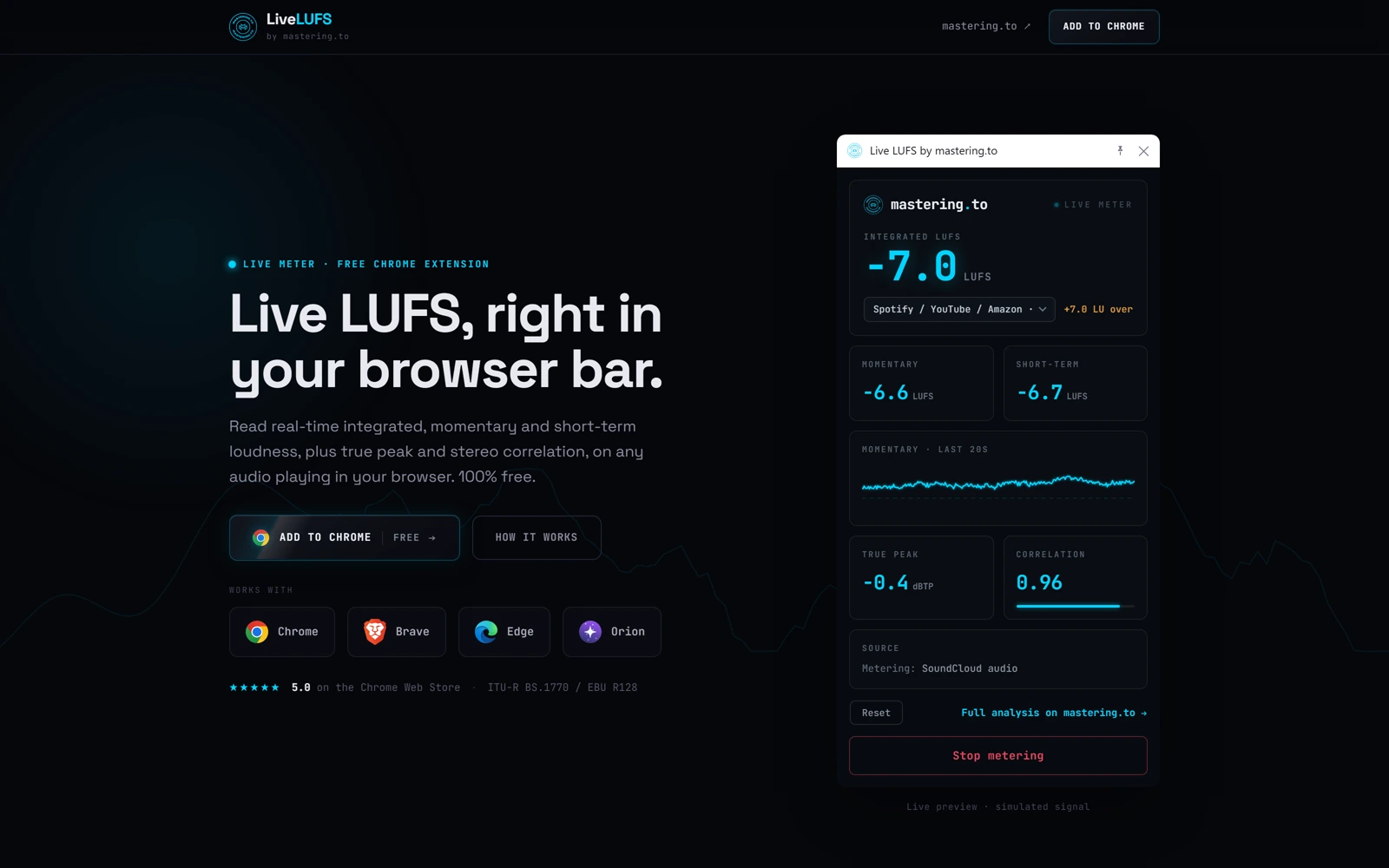
LiveLUFS is aimed at audio engineers who already know what LUFS and true peak mean, so the page doesn’t waste time explaining the category — it goes straight to a live-looking meter panel with real numbers (integrated, momentary, true peak, correlation) right in the hero.

Everything below reinforces the same technical confidence: a reference-target table for every major platform, a plain-language glossary for the handful of terms that do need explaining, and a closing note on local-only processing for anyone wondering where their audio goes.


The palette

  • Meter cyan#00D4FF
  • Deep charcoal#0D0F15
  • Panel grey#171A24
  • Readout white#FFFFFF

A closer look

Inside the product.

The live meter, on every screen.

01 / 03
livelufs.com
LiveLUFS' hero: a live-looking meter panel with integrated, momentary and true-peak readouts
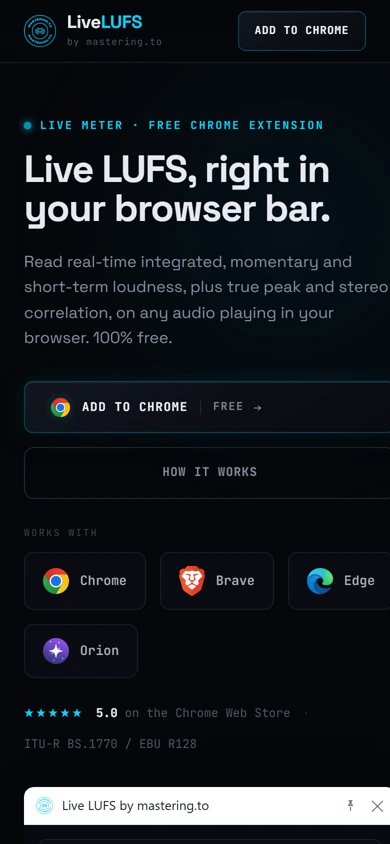
The same hero on mobile, headline and CTA stacked above the extension list
livelufs.com
LiveLUFS' hero: a live-looking meter panel with integrated, momentary and true-peak readouts
The same hero on mobile, headline and CTA stacked above the extension list

Three choices that carry the whole page

What makes it work.

  1. CHOICE 01

    The hero is the product, live

    A working-looking meter panel sits in the hero itself, numbers and a rolling trace included — a screenshot of the real thing beats another paragraph explaining what it does.

  2. CHOICE 02

    Reference targets, not just raw numbers

    A built-in table mapping platforms — Spotify, Apple Music, broadcast — to their loudness targets turns a raw meter into a decision-support tool at a glance.

  3. CHOICE 03

    Privacy stated plainly, once

    “Your audio never leaves your browser” gets its own short, unhedged section near the bottom — exactly the one sentence a skeptical engineer needs before installing an extension that reads tab audio.

The process behind the page, start to finish

How we got there.

  1. 01

    Retained.

    LiveLUFS brought us on to give a Chrome extension a landing page as precise as the tool itself.

  2. 02

    Meetings.

    A handful of calls to understand which readings — integrated, momentary, true peak, correlation — actually mattered to engineers at a glance.

  3. 03

    Concept.

    The live-looking meter panel and cyan-on-charcoal register came out of this stage — a developer tool that looks like one.

  4. 04

    Architecture.

    The meter, the targets and the glossary, one connected page instead of a feature list bolted onto a Chrome Web Store listing.

  5. 05

    Wireframes.

    Low-fidelity layouts to test the pacing — meter, reference targets, privacy note — before the final visual language was applied.

  6. 06

    Finished build.

    A live-looking meter in the hero and a plain, unhedged privacy note — exactly what a skeptical engineer needs before installing it.

Your move

Want a technical product explained this clearly?